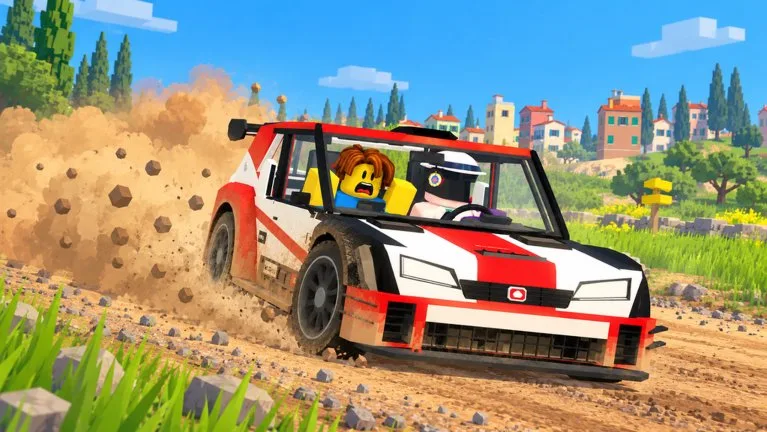
The driver owns W, A, D, S, and Space. The co-driver owns the next corner. You can join with PLAY, then CO-DRIVE, or by pressing E beside a car that shows Co-drive.
What the cue means
The HUD arrow is the direction. The word is the severity. A following cue can sit beside the main one. Call the immediate corner first.
| Cue | Call | Driver response |
|---|---|---|
| SLIGHT plus a left arrow | Slight left | Lift or steer gently. A full brake is usually wasted |
| SLIGHT plus a right arrow | Slight right | Same, the other way |
| HARD plus a left arrow | Hard left | Brake in a straight line before the corner |
| HARD plus a right arrow | Hard right | Brake, then steer, and use Space to rotate |
| SLIGHT left with a right cue beside it | Slight left, then right | Only add a severity for the second bend if that label is shown |
A community tutorial also describes slide calls, which you can take without slowing, and straight-left or straight-right calls, which want a small lift. If that wording and the SLIGHT / HARD labels both appear, trust the label on your HUD for that corner.
Settings, Driving, Co-driver calls can be Simple or Full. Agree the words before the stage: direction, severity, and brake. On a voice session, sound and voice chat have to be on. If a notice says voice volume is 0, raise it. The center-console radio is a separate Turn on radio click and is not the voice channel.
Hairpins
- Call the hard corner while it is still ahead.
- The driver brakes with S before turning.
- Steer in with A or D, then tap Space. Holding the handbrake too long on wet dirt spins the Orso 4.
- On snow, such as the upper part of Alpine Pass, call earlier than you did on dry dirt.
Grass and bushes can throw a red DANGER warning and add time. Say hazard when the car is leaving the road, not after the penalty is already on the results screen.
Solo
AI CO-DRIVER still leaves you as the driver. The passenger is an AI navigator, and a friend's avatar can fill that seat. You do not have to wait for a human to start Pine Forest.